
KanbanSignal for automotive workshops
Keep workshop supplies ready for the next job.
Technicians scan an empty ordering point and create a prepared replenishment request without interrupting the repair workflow.
Request a demoCurrent process
Low-value parts can delay high-value work
Small consumables are easy to overlook until the last unit is used. Free-text messages do not reliably identify the part or show whether replenishment is already underway.
How it works
One clear flow at every ordering point.
- 01
Scan
Open the prepared ordering point with a smartphone camera.
- 02
Confirm
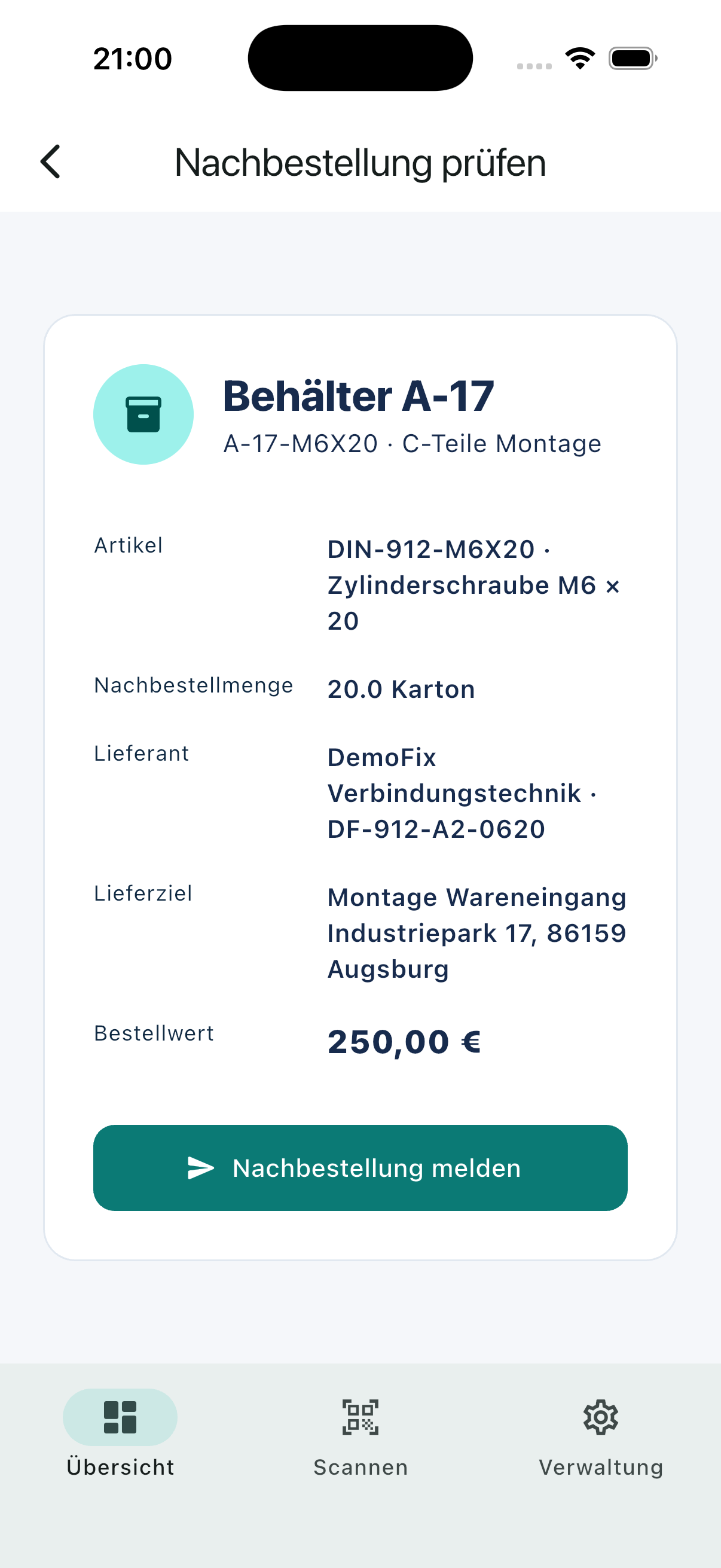
Review the article, quantity and delivery destination.
- 03
Supply
Route the demand, track its status and record receipt.
Relevant capabilities
What KanbanSignal supports here.
- Prepared article and pack data behind every QR code
- Fast mobile confirmation and duplicate protection
- Routing to internal parts supply or external vendors
- Order and receipt status in one timeline
Operational effect
Less coordination. A clearer status.
- Less interruption at the work bay
- Fewer ambiguous part requests
- A clearer replenishment queue for the parts team
The product
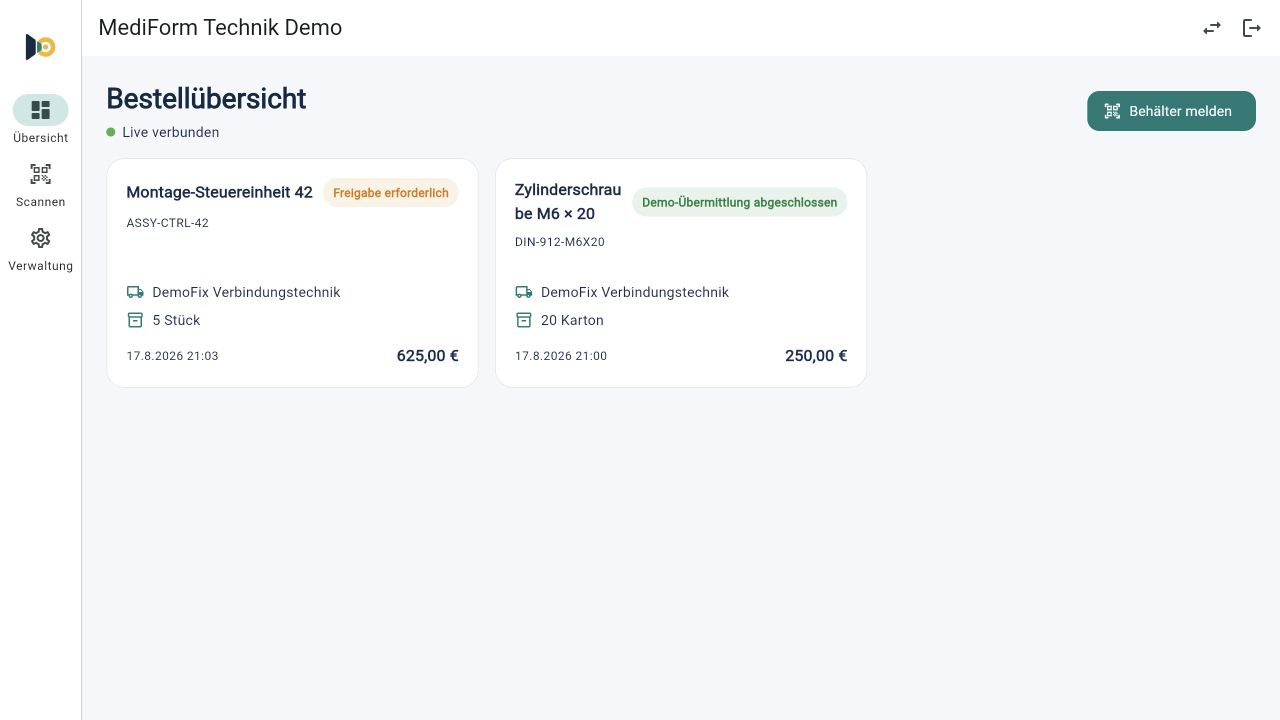
The same process on mobile and desktop.
Users scan and confirm on mobile. Purchasing and supply teams see the new demand immediately in the responsive dashboard.
Frequently asked questions
Questions about this scenario.
Can demand go to the internal parts counter?
Yes. The parts counter can be configured as an internal supply point and process demand separately from external supplier orders.
Do users need a dedicated QR-code scanner?
No. The QR code can be scanned with the native camera of a regular smartphone. KanbanSignal then opens the prepared ordering point in the app or browser.
Is a new demand immediately visible to the responsible team?
Yes. Confirmed demand and subsequent status changes are synchronized in real time across connected mobile and desktop devices.
Related solutions and use cases
See it in your process
Explore your ordering points in a personal demo.
We use your real replenishment scenario to show where KanbanSignal fits and where it deliberately stays simple.