
KanbanSignal for medical practices
Replenish practice supplies without paper lists.
Practice users report an empty ordering point immediately; administration receives the prepared demand with a clear status.
Request a demoCurrent process
Small shortages create disproportionate coordination
Empty packs are noted between appointments or reported verbally. Administration later has to identify the product, clarify the quantity and check whether it has already been ordered.
How it works
One clear flow at every ordering point.
- 01
Scan
Open the prepared ordering point with a smartphone camera.
- 02
Confirm
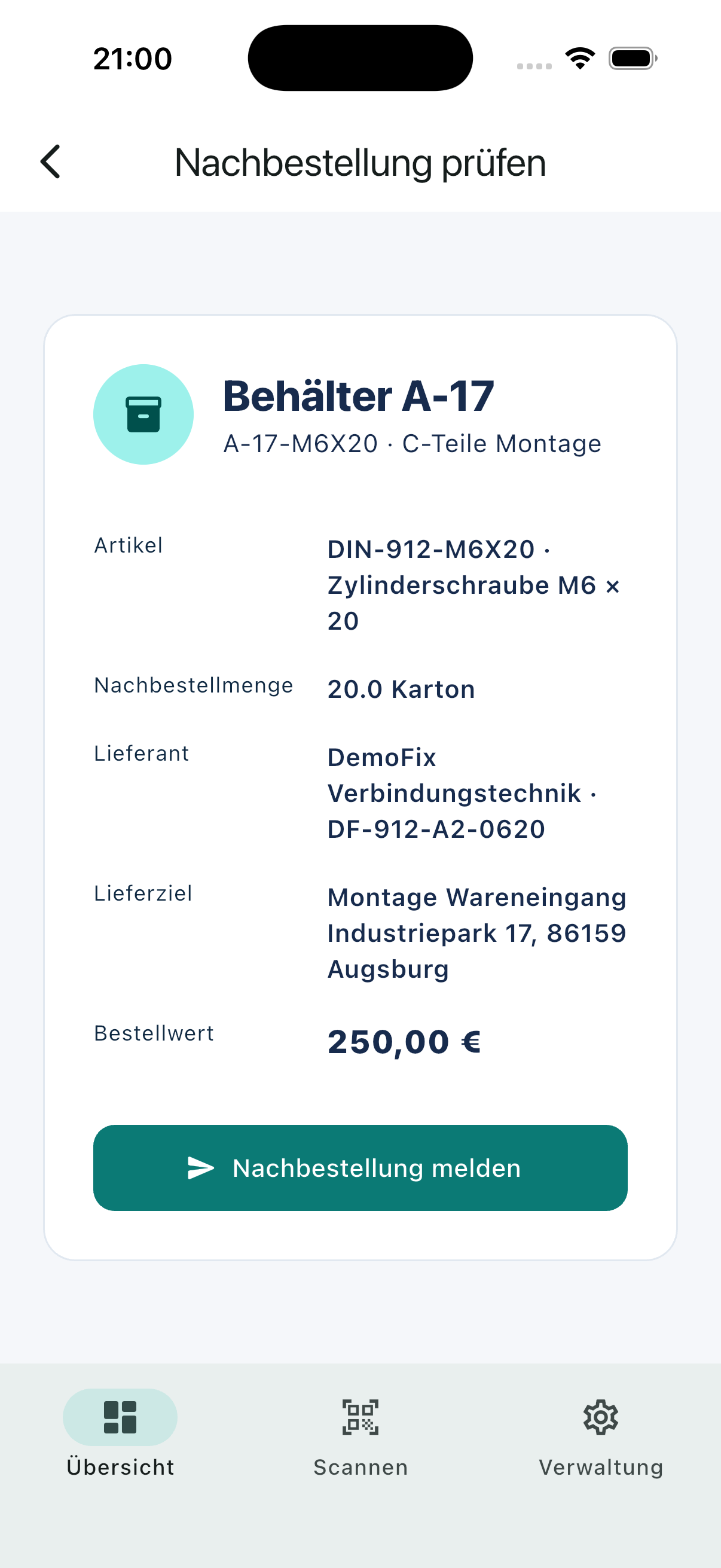
Review the article, quantity and delivery destination.
- 03
Supply
Route the demand, track its status and record receipt.
Relevant capabilities
What KanbanSignal supports here.
- Prepared QR ordering points in each room
- Role-based confirmation and optional approval
- Shared status without manual refresh
- Supplier email workflows and documented goods receipt
Operational effect
Less coordination. A clearer status.
- Less coordination during busy practice hours
- Fewer missing or duplicate requests
- A visible replenishment status for the whole practice
The product
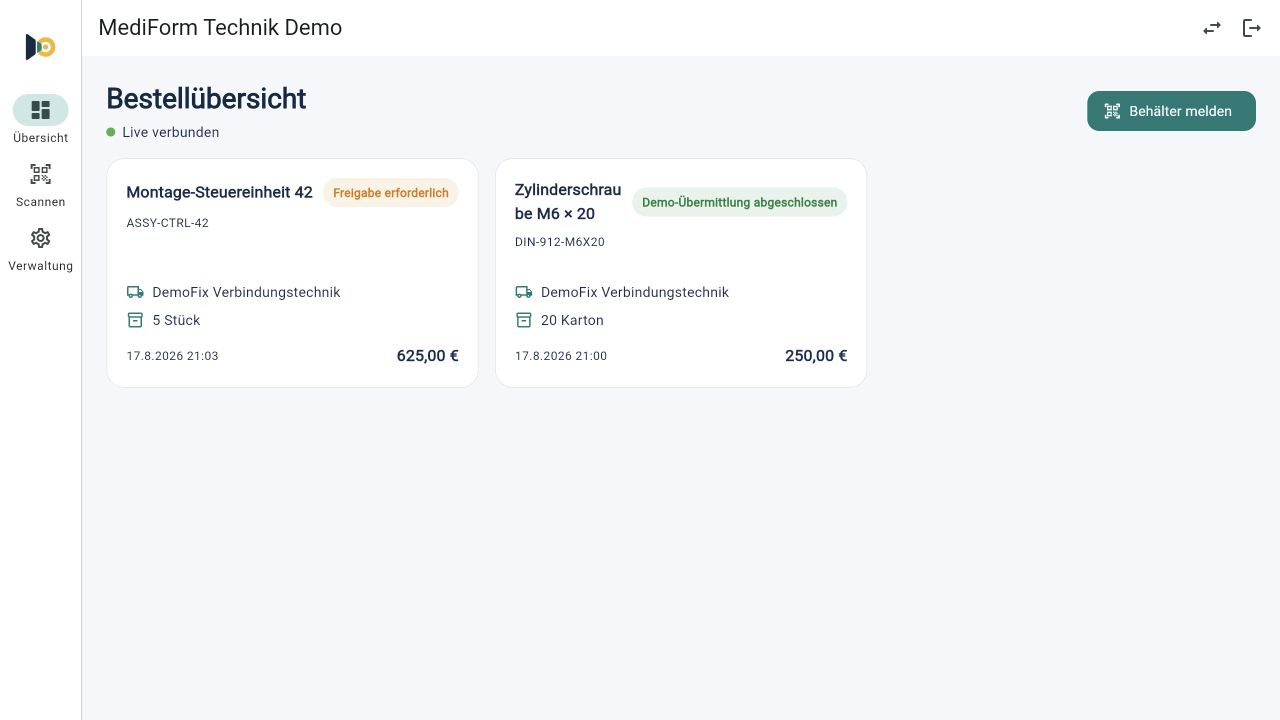
The same process on mobile and desktop.
Users scan and confirm on mobile. Purchasing and supply teams see the new demand immediately in the responsive dashboard.
Frequently asked questions
Questions about this scenario.
Does KanbanSignal process patient data?
No. The workflow concerns ordering points, material demand and suppliers. Patient data is neither required nor part of this use case.
Do users need a dedicated QR-code scanner?
No. The QR code can be scanned with the native camera of a regular smartphone. KanbanSignal then opens the prepared ordering point in the app or browser.
Is a new demand immediately visible to the responsible team?
Yes. Confirmed demand and subsequent status changes are synchronized in real time across connected mobile and desktop devices.
Related solutions and use cases
See it in your process
Explore your ordering points in a personal demo.
We use your real replenishment scenario to show where KanbanSignal fits and where it deliberately stays simple.