
Use case: QR-code ordering system
Turn a QR scan into a demand signal.
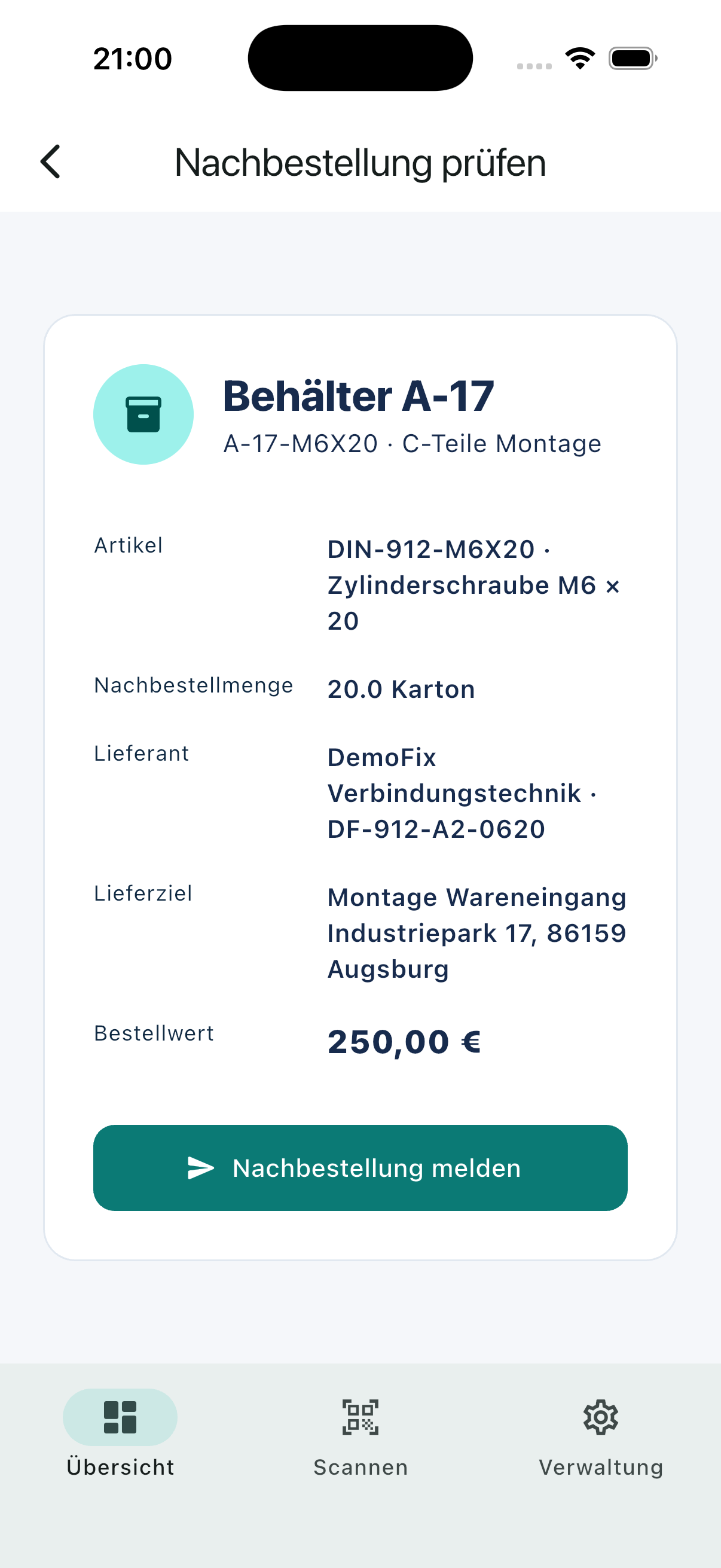
The code identifies an ordering point, not a blank form. Article, quantity, supplier and destination are already available for confirmation.
Request a demoCurrent process
A QR code alone does not create a reliable process
Generic forms still ask users to enter product and destination data. KanbanSignal links the code to a maintained ordering context and validates the resulting signal on the server.
How it works
One clear flow at every ordering point.
- 01
Scan
Open the prepared ordering point with a smartphone camera.
- 02
Confirm
Review the article, quantity and delivery destination.
- 03
Supply
Route the demand, track its status and record receipt.
Relevant capabilities
What KanbanSignal supports here.
- Opaque QR references without readable commercial data
- Opening in the installed app or authenticated web flow
- Server-side authorization and duplicate protection
- Immediate status updates on connected devices
Operational effect
Less coordination. A clearer status.
- No special scanner hardware required
- Less typing and fewer transmission errors
- A consistent flow across mobile and desktop
The product
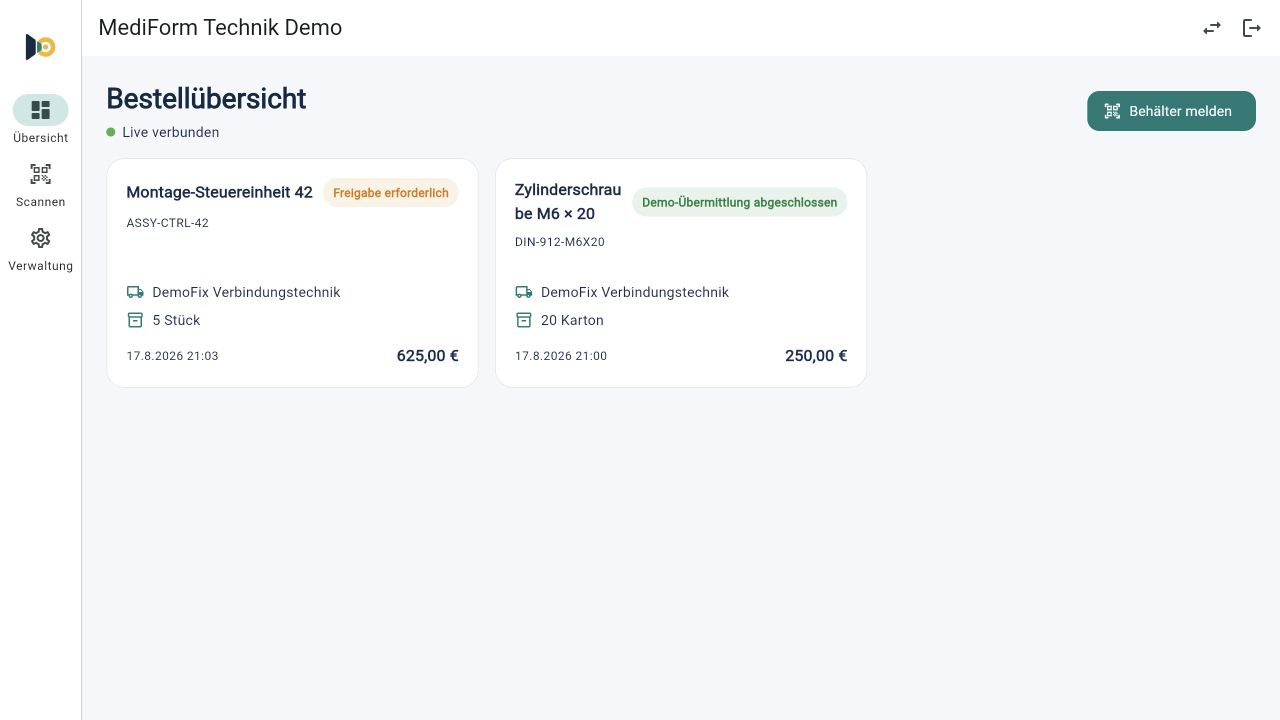
The same process on mobile and desktop.
Users scan and confirm on mobile. Purchasing and supply teams see the new demand immediately in the responsive dashboard.
Frequently asked questions
Questions about this scenario.
What happens if the app is not installed?
The same protected ordering point can open in the browser after authentication. The exact rollout is configured for the customer environment.
Do users need a dedicated QR-code scanner?
No. The QR code can be scanned with the native camera of a regular smartphone. KanbanSignal then opens the prepared ordering point in the app or browser.
Is a new demand immediately visible to the responsible team?
Yes. Confirmed demand and subsequent status changes are synchronized in real time across connected mobile and desktop devices.
Related solutions and use cases
See it in your process
Explore your ordering points in a personal demo.
We use your real replenishment scenario to show where KanbanSignal fits and where it deliberately stays simple.