
Several containers, one confirmation
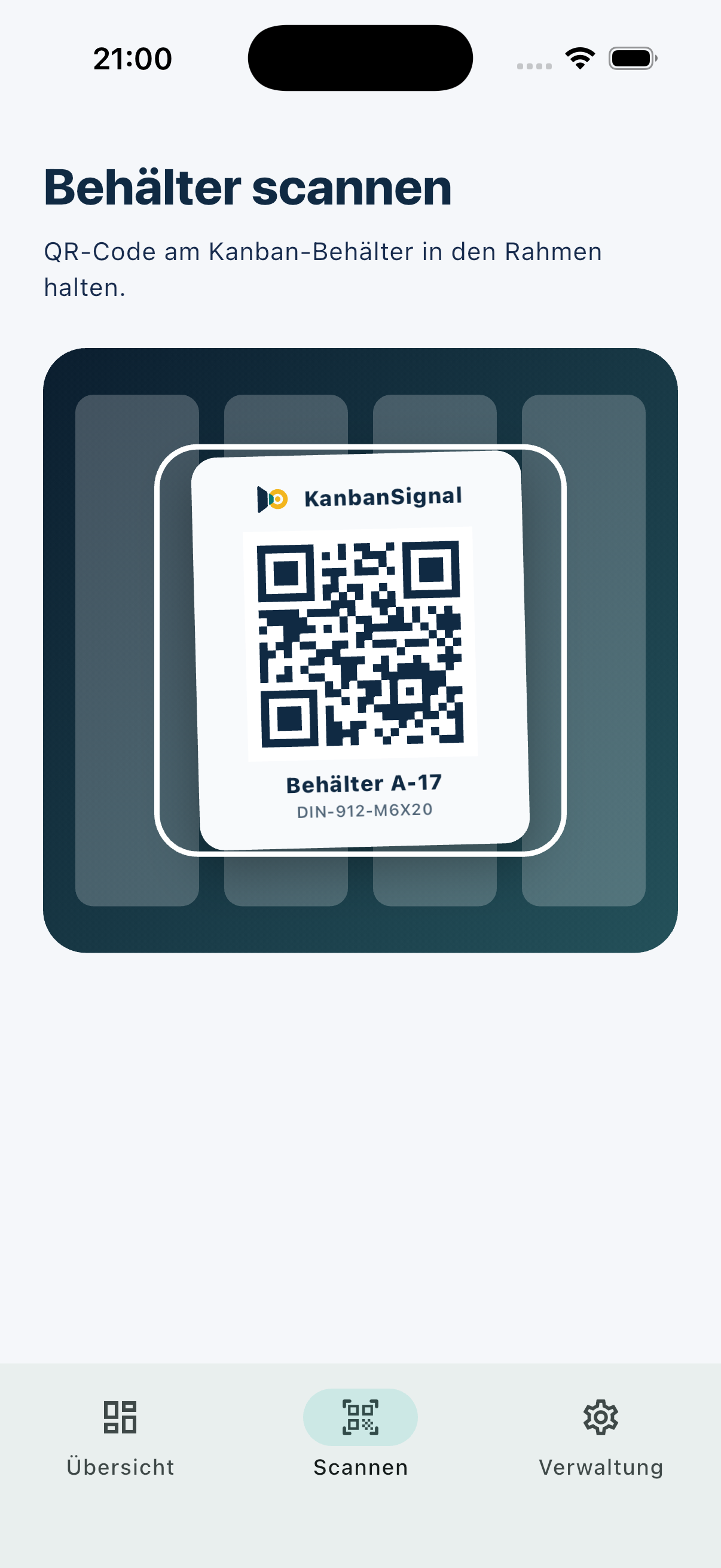
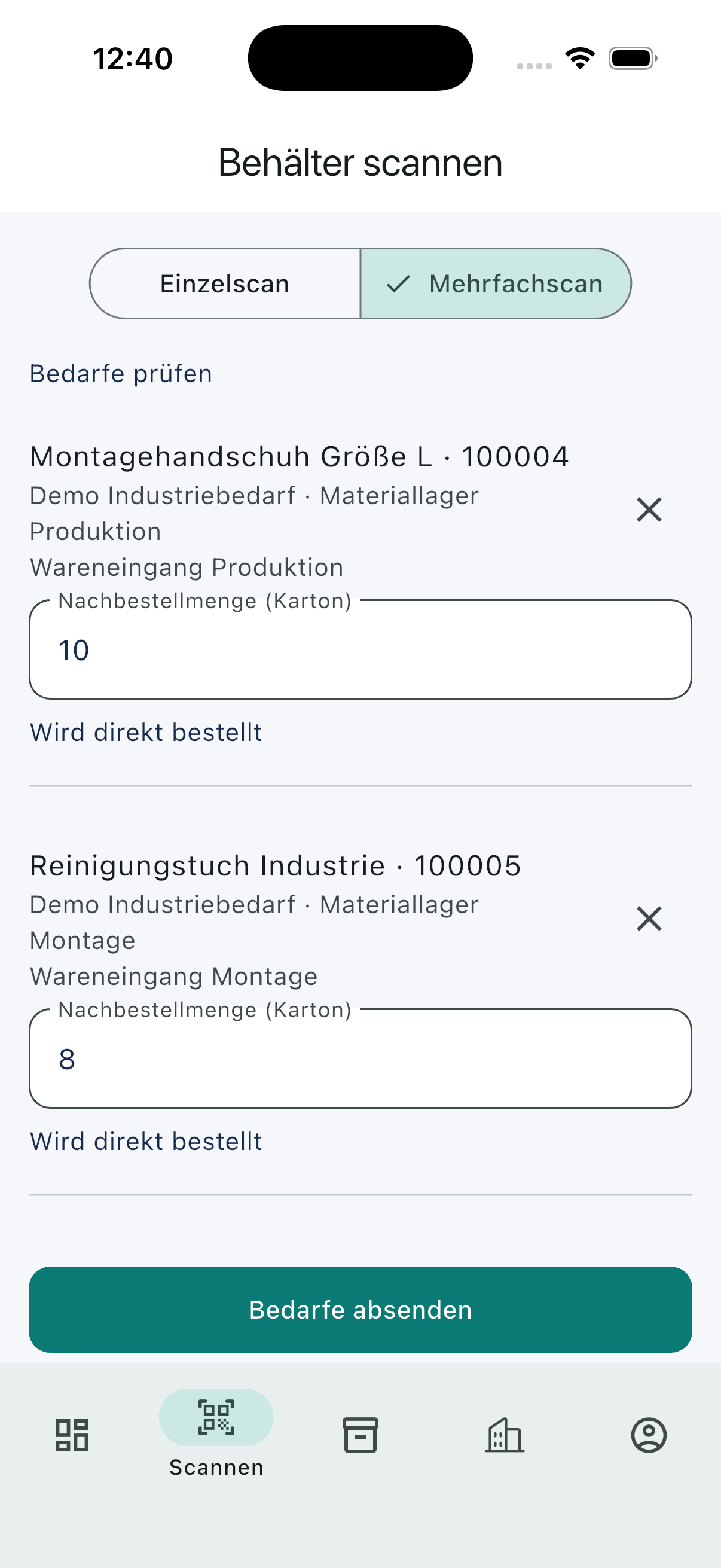
Scan up to 50 containers in sequence and submit their demands together. Scanning a container again does not increase its quantity. Collection schedules and required approvals still apply.
Digital material supply at the point of use
Replenish recurring materials without paper lists and follow-up calls: scan or find a container, report demand and track the order through goods receipt. For production, assembly and internal supply – on mobile, tablet and in your browser.
Process
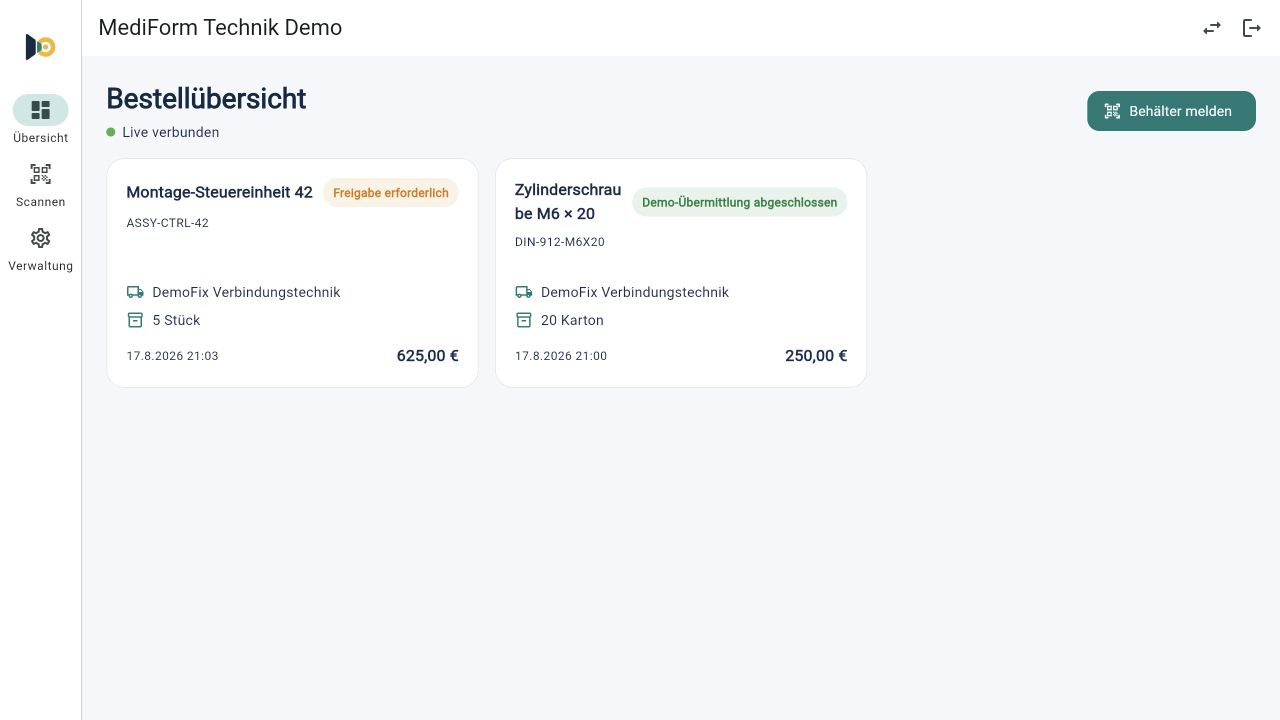
The ordering point provides the prepared data. The user only needs to review and confirm it.
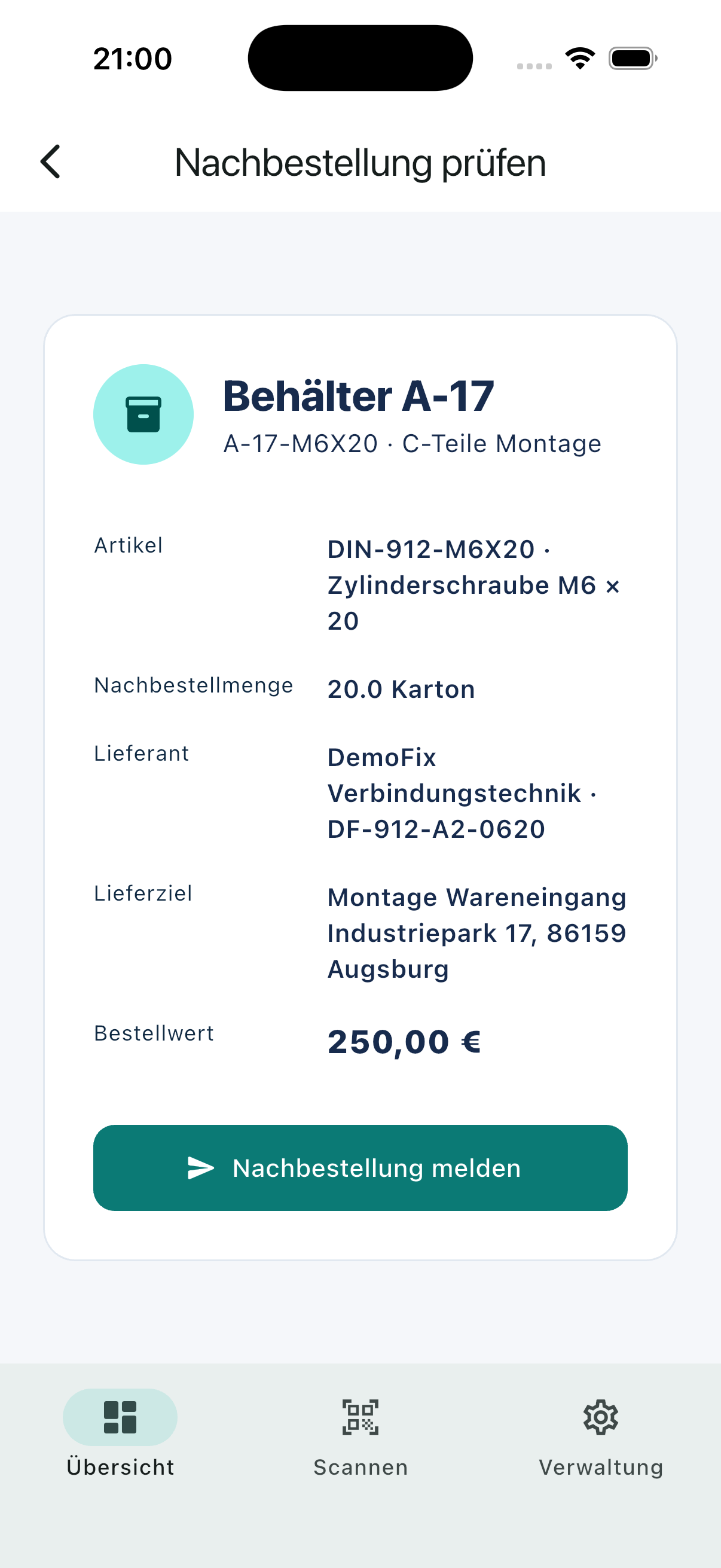
Scan one container or capture several containers in sequence with multi-scan. Alternatively, select a container from the searchable list.
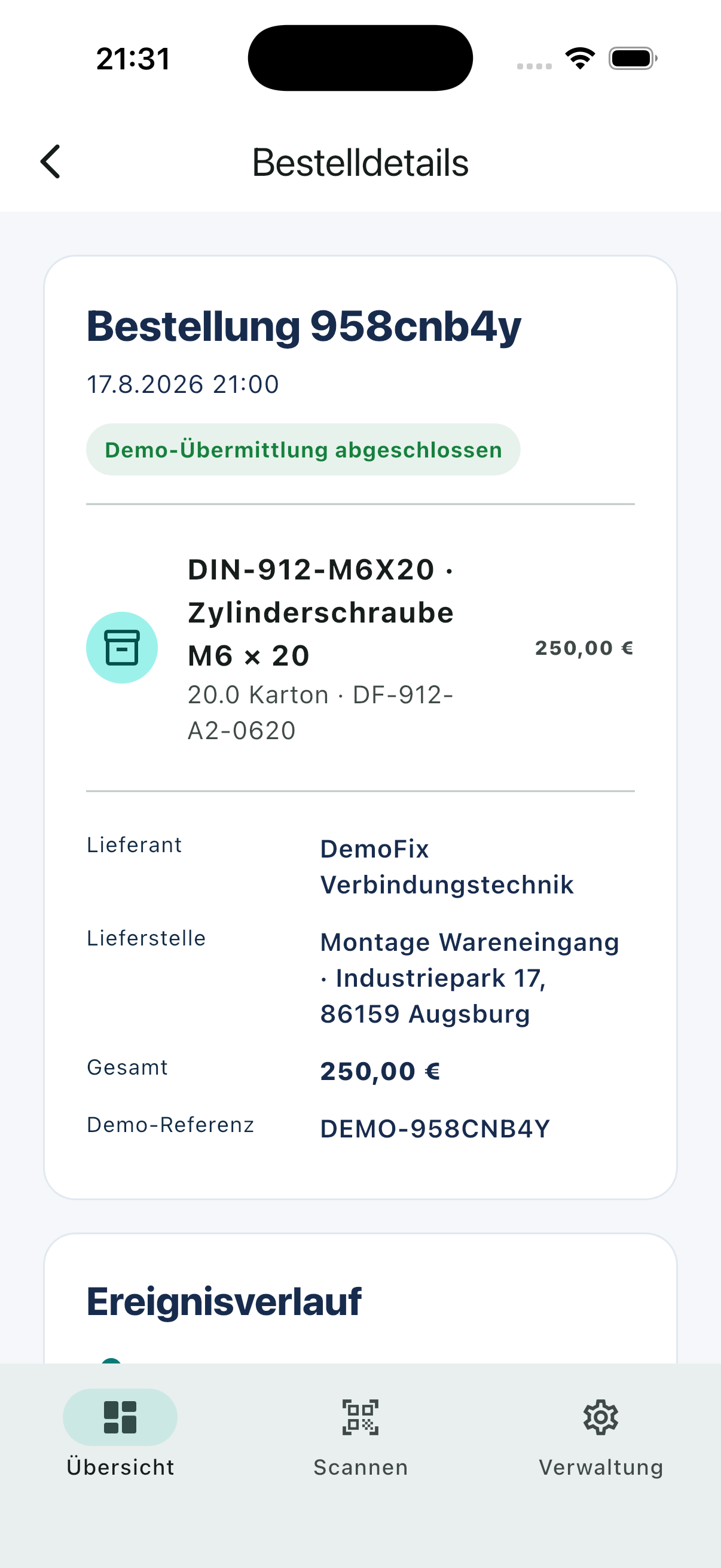
Article, quantity, supplier and delivery point are prepared. In multi-scan, review quantities, remove entries if needed and submit the selection together.
Order immediately or collect demand. Authorized people receive an email when approval is needed. The approved order reaches the supplier with a PDF.
Everyday benefits
Standardized demand signals reduce recurring manual work and create one transparent process.
One application
KanbanSignal adapts to the workplace. The operational flow stays consistent on iOS, Android and the web.
Features
KanbanSignal combines ordering points, responsibilities, supply routes and goods receipt in one system.
Scan up to 50 containers in sequence and submit their demands together. Scanning a container again does not increase its quantity. Collection schedules and required approvals still apply.
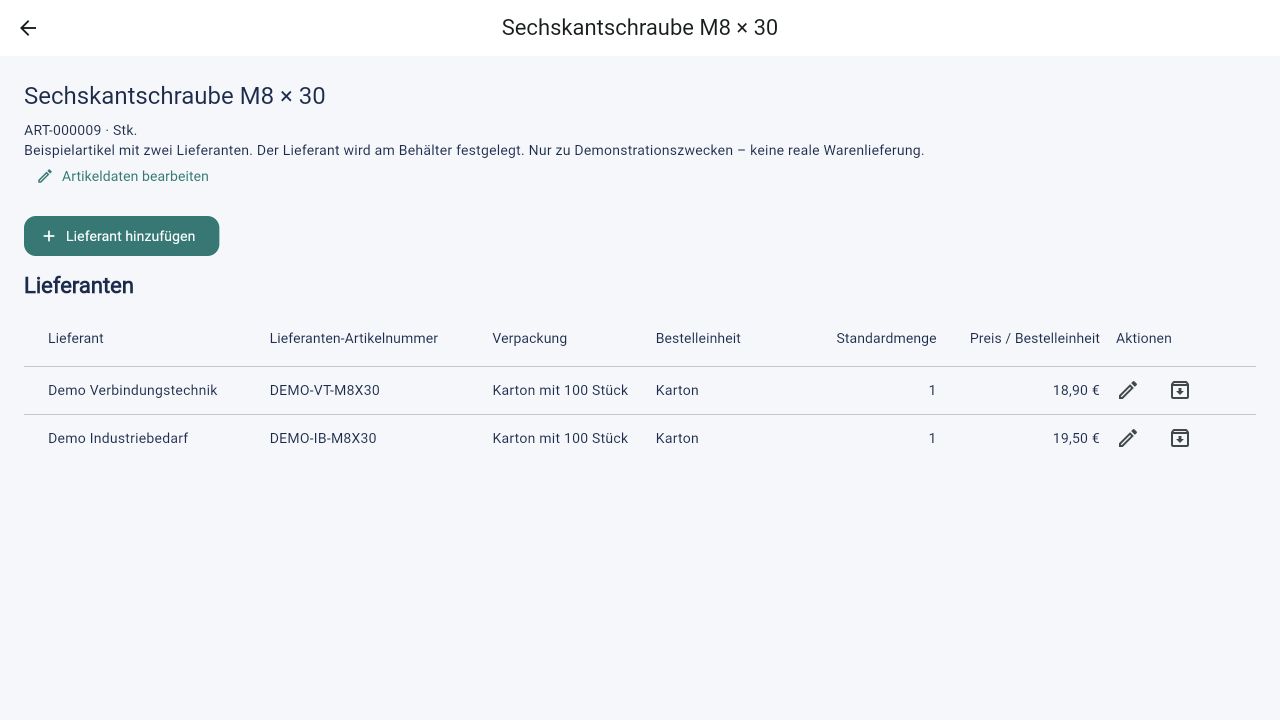
Create articles and supplier assignments together. Each supplier can have its own article numbers, units and prices. Each container determines which supplier receives its orders.
Find a container in the list, open its details and report the prepared demand – from your desktop or on the move.
Collect individual demands and combine them at the supplier’s scheduled ordering time. Orders are only created then, separated by supplier and delivery address. Demands awaiting approval wait for the next scheduled run.
Select one or several containers and choose a label size. Export an A4 sheet or one label per PDF page.
Demand signals and status changes appear on connected devices without a manual refresh.
Articles, containers, suppliers, warehouse areas and delivery points are maintained directly in KanbanSignal.
Approval is checked for each demand individually. Authorized people receive an email and decide after signing in to the app. Decisions remain traceable.
Orders and PDFs arrive by email. Suppliers confirm orders, give delivery dates and report processing or shipment through secure links – without an account.
Receive the full outstanding quantity, add a note and complete the order. Documented reversals let you correct booking mistakes.
Demand can also be routed to internal teams such as maintenance, IT or a central store.
Supply routes
Every ordering point defines where demand goes and at which delivery point the material is expected.
Frequently asked questions
We clarify further technical and organizational details for the specific use case.
Yes. Select “Open web app” to use KanbanSignal in your browser and sign in with an email code. New organizations require manual activation before use. Invitations are accepted automatically after the invited person signs in.
KanbanSignal is designed for recurring demand identified at the point of use, especially C-parts and other regularly replenished materials.
No. The native smartphone camera is enough. If the KanbanSignal app is installed, it opens the ordering point there; otherwise the authenticated browser flow is available.
KanbanSignal detects an already active demand for the same container and shows a clear message instead of creating an unnoticed duplicate order.
Approval is required when an individual demand exceeds the configured value threshold. Authorized people receive an email and decide after signing in to the app. Demands awaiting approval remain in the collection; the total value of the later batch order does not trigger another approval.
External suppliers currently receive structured order emails with PDFs and secure status actions. Direct API, EDI, OCI or comparable integrations are planned for a later phase after technical assessment.
Open the web app and register your organization using an email code. Once we activate it, you can set up master data and invite your team. If you would like to see KanbanSignal first, contact us for a personal demo and a proposal tailored to your needs.
Meet KanbanSignal
We demonstrate KanbanSignal personally and examine how ordering points, approvals and suppliers work together in your process.